
JLPT Sprint Desk began with a simple observation: an exam plan can look complete on day one and still drift away from reality after only a few days of use.
The latest version still follows the same loop—plan, record, analyze, adjust—but it has grown beyond a data dashboard. Dynamic exam dates, reminders, exam-day handling, bilingual UI, calendar export, and complete restore now make it a workspace that can stay useful through an entire JLPT cycle.
Live app: jlpt-sprint-desk.vercel.app
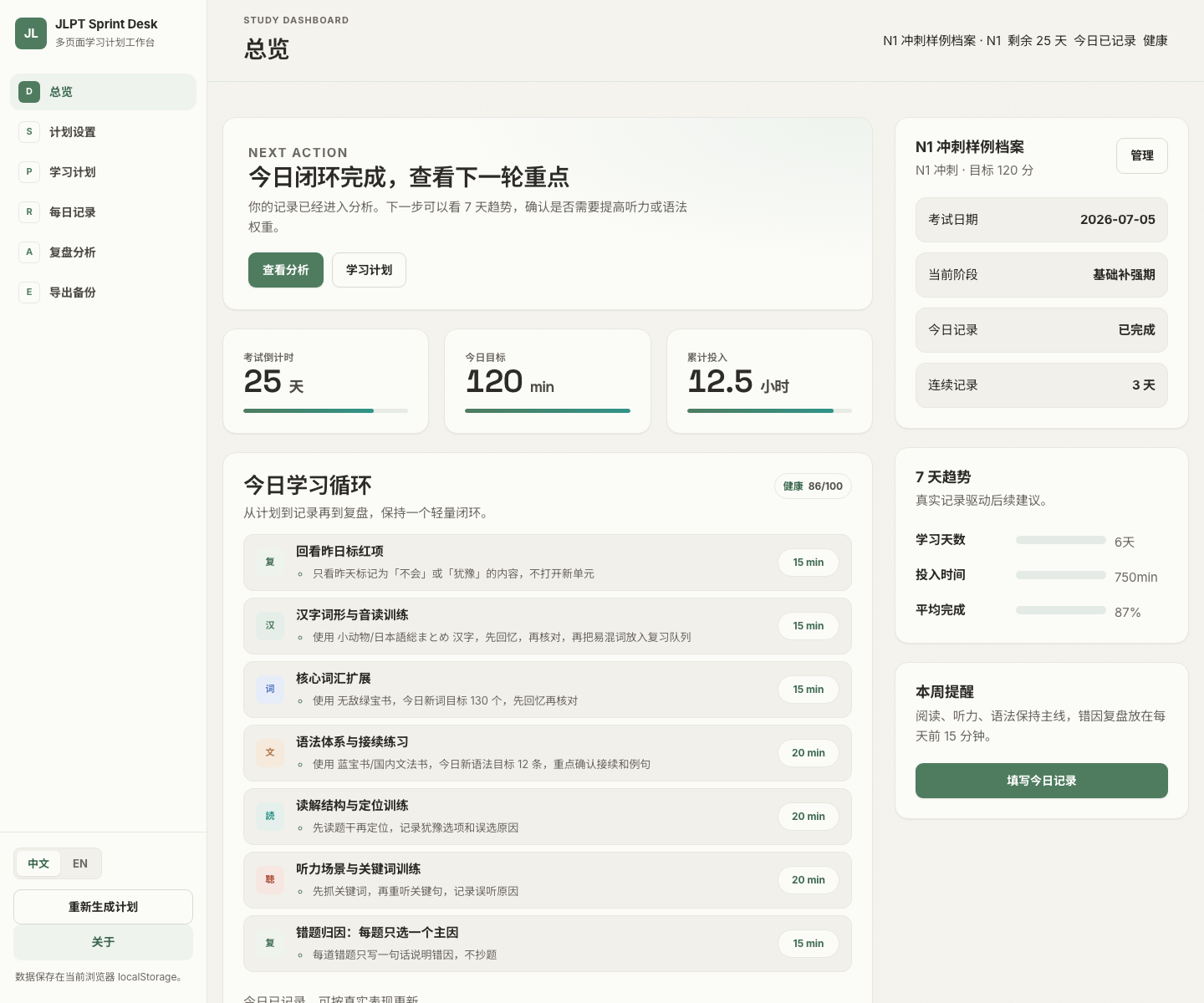
The New Dashboard Starts With the Next Action
The first priority is still not showing every metric. It is helping the learner decide what to do now.
The dashboard changes its advice based on whether today has been logged, the current plan phase, recent completion, and plan health. Before a log exists, it asks for a quick honest record. Afterward, it can direct the learner toward review or plan adjustment.
The fixed top area now keeps the current profile, target level, live days remaining, log status, plan health, date, and time visible. Opening the app no longer requires reconstructing where the previous session ended.
Exam Dates Are Dynamic Instead of Hard-Coded
Earlier versions used a fixed default JLPT date. Once that date passed, countdowns and new profiles could enter awkward states. The app now calculates the next JLPT sitting from the current date and shows that default in setup.
The surrounding edge cases are handled as well:
- The header and dashboard share one live countdown calculation
- Exam day displays a clear “Exam today” state
- A passed exam can be switched to the next sitting in one action
- Exports recalculate remaining days instead of preserving a stale snapshot
- Countdown progress uses the real plan span rather than a fixed denominator
Small boundary states like these determine whether a planner remains usable after the date it was originally created for.
The Plan Page Is Now a Rolling Decision Surface
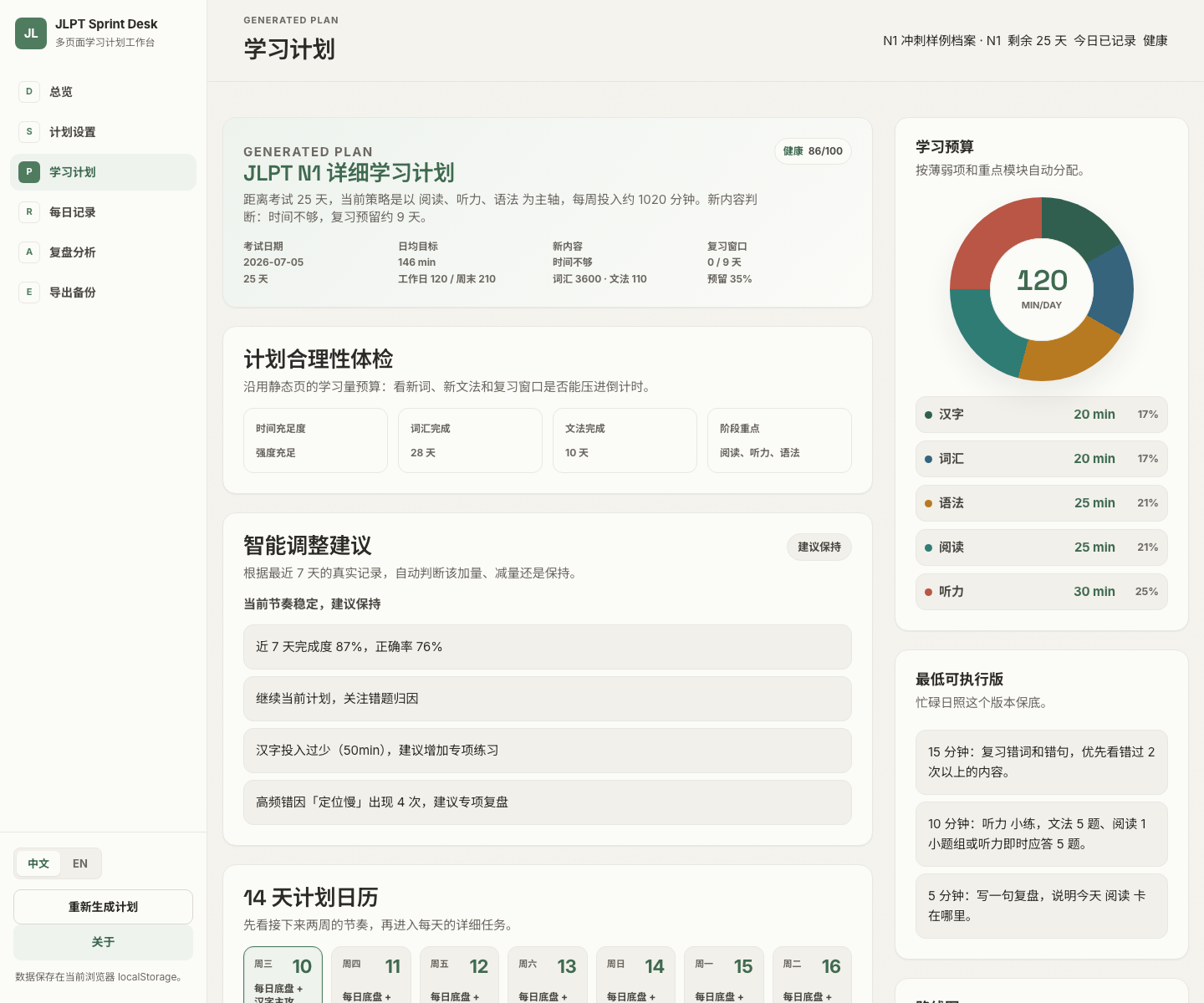
Plan generation combines target level, exam date, weekday and weekend budgets, weak modules, preferred materials, and recurring obstacles, then divides the result into phases.
Before presenting a long task list, the page answers practical questions:
- Is the average daily budget sufficient?
- Can new vocabulary and grammar finish before the exam?
- Is there enough time left for review?
- Is actual time reaching the weak modules?
- Do recent records support keeping the current plan?
The 14-day calendar shows the near-term rhythm, today’s list drives execution, and weekly sections hold the detailed plan. Each day can be adjusted without overwriting the original generated plan.
Daily Logging Still Takes About Two Minutes
The log keeps only fields that later analysis can use: time and quantity by module, completion, accuracy, error causes, overtime reasons, the hardest point, and tomorrow’s first step.
The new reminder state makes the loop clearer. An unlogged day produces a dismissible dashboard reminder; once a record exists, review guidance takes its place.
The goal is not a prettier streak. It is enough honest data to identify overload, missing days, and modules that need a smaller task slice.
Review Has Become an Action Report
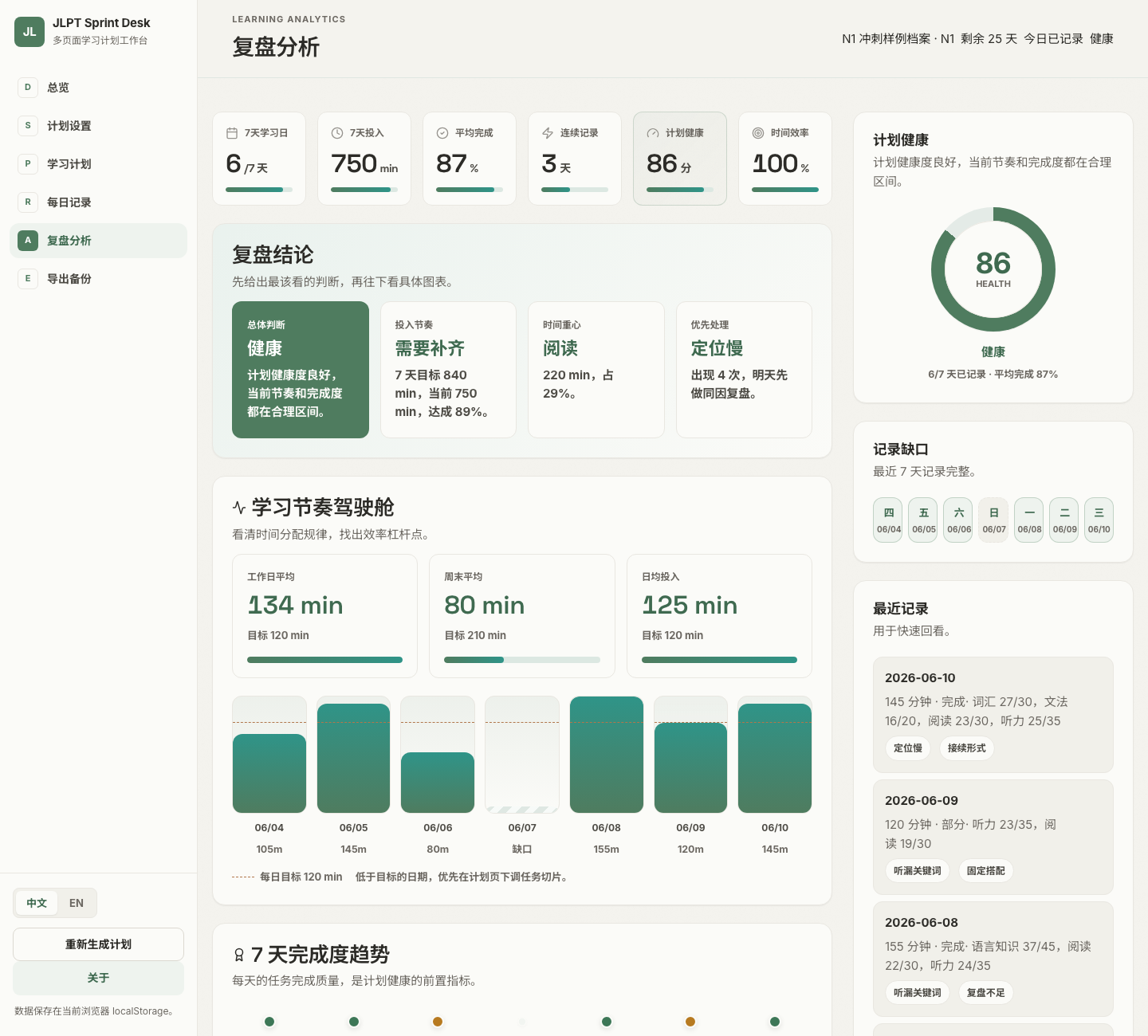
The review page now leads with conclusions. Its top metrics summarize study days, time, average completion, streak, plan health, and time efficiency over the last seven days.
The conclusion section then answers four questions directly:
- Is the plan healthy overall?
- Is the current pace too low or too high?
- Which module receives the most time?
- Which error cause should be addressed first tomorrow?
This is more useful than making the learner reverse-engineer meaning from charts alone.
Time Allocation and Error Causes Are Diagnosed Separately
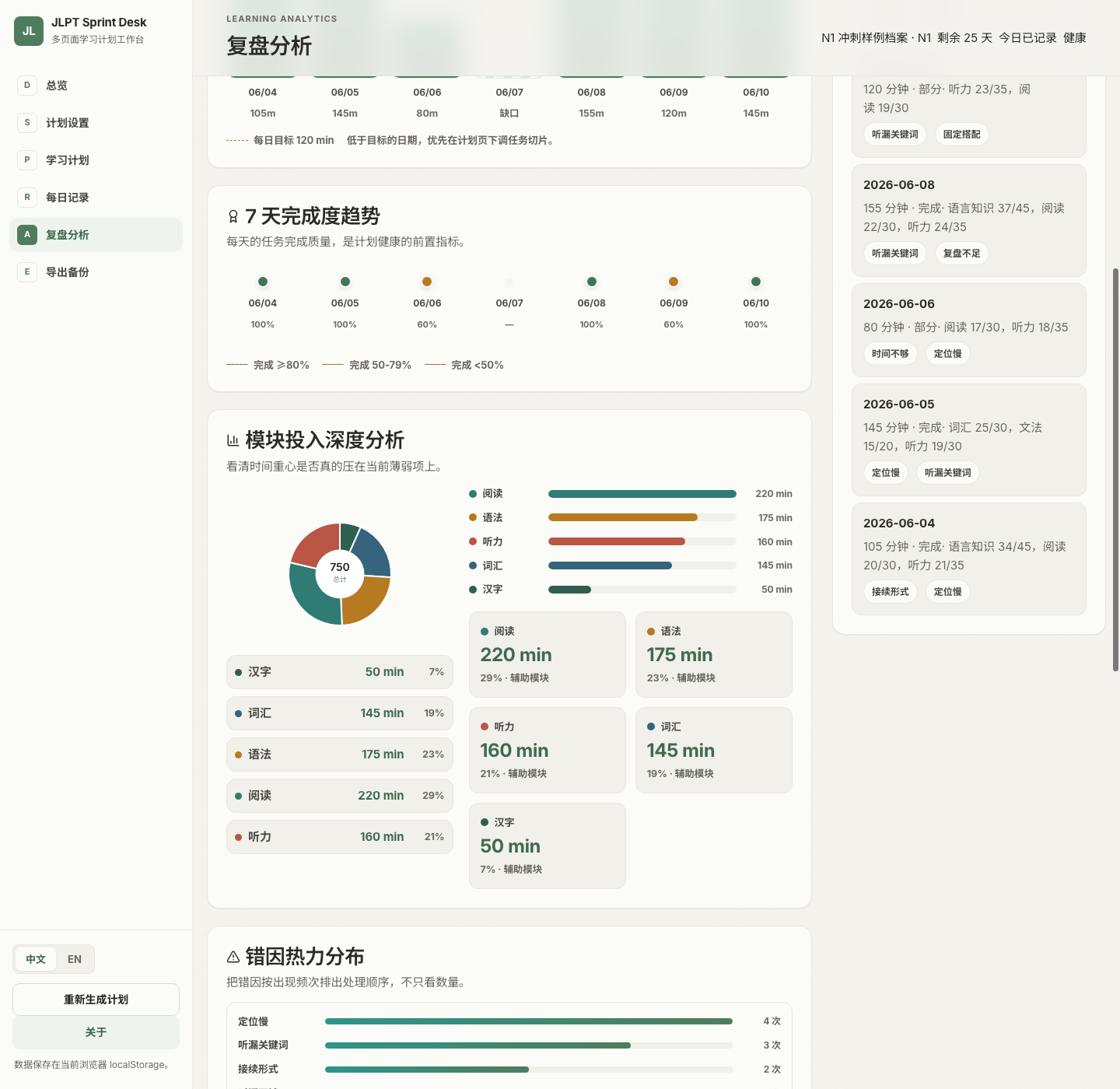
Module analysis checks whether actual time is reaching the intended weak areas. Writing “focus on listening” in a plan is not evidence that listening received enough time.
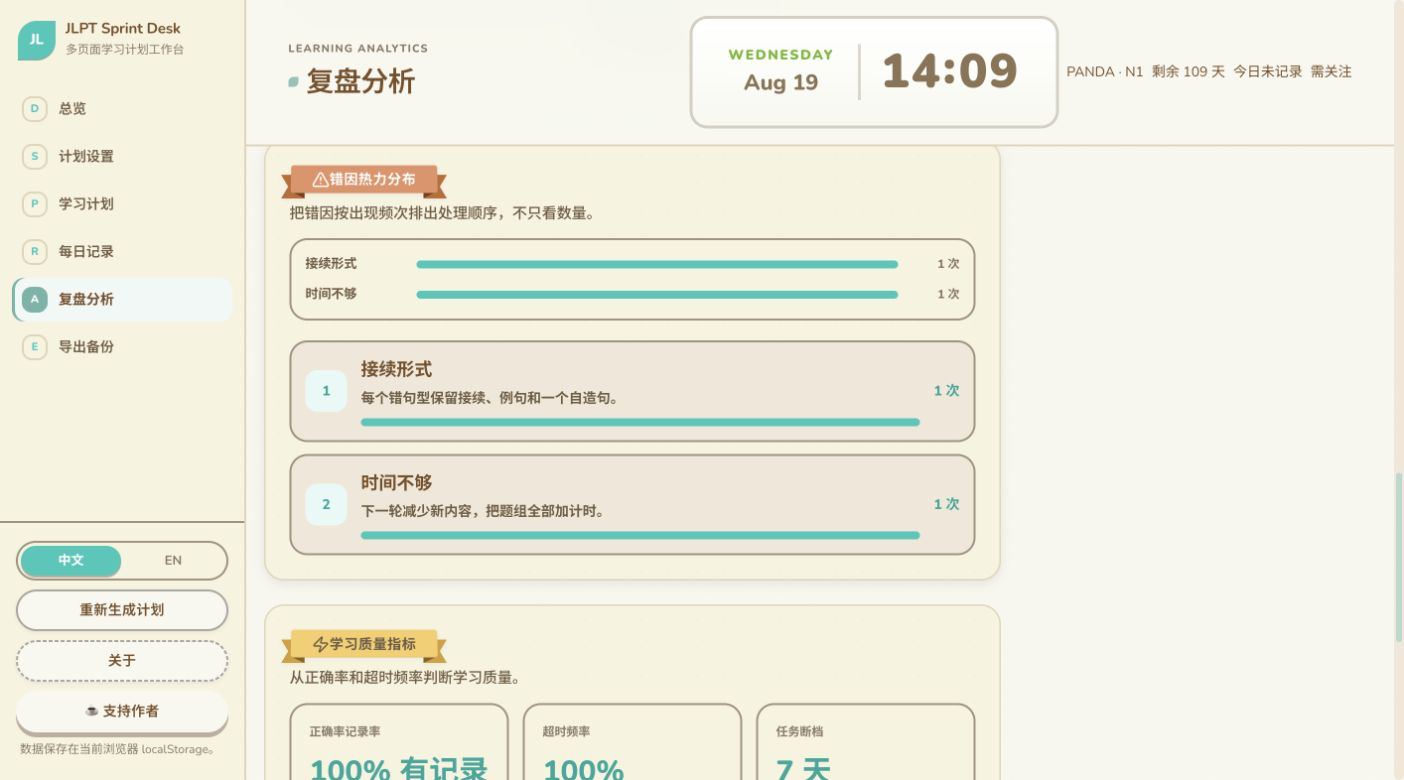
Error analysis separately explains why work was incomplete or incorrect. It ranks recurring causes and suggests specific responses, such as keeping a construction, example, and original sentence together, or reducing new material and timing the next question set.
Separating time from cause makes the next adjustment clearer: is the problem insufficient effort, or an ineffective method?
Export Is Now a Recovery System
The latest version supports multiple output purposes:
- Markdown study plans
- CSV structured data
- HTML study reports
- Complete JSON backups
- Print-friendly pages
- ICS calendar files
ICS places upcoming tasks into a system calendar. JSON can restore settings, generated plans, manual edits, and daily records. The importer understands multiple backup shapes so that data created by an older version is less likely to become stranded.
For a local-first tool, export is only half the promise. Reliable restore is what creates confidence.
Multiple Profiles, Local First, Optional Cloud Sync
Separate profiles can represent different levels, material strategies, or study experiments. Settings, plans, edits, and records remain isolated per profile.
By default, data stays in browser localStorage and no account is required. Cross-device users can connect a personal Supabase project and sign in with Magic Link. Synchronization uses updated_at to choose the newer state, while local mode continues to work independently.
A New Visual and Technical Foundation
The interface now uses the Animal Island visual language: paper-like surfaces, colored functional modules, label-style headings, clear borders, a desktop sidebar, and mobile bottom navigation. Chinese and English can be switched immediately, and the same localization system covers plan and export text.
The current stack includes:
- React 19 + TypeScript + Vite 8
- React Router 7 Hash Router
- Animal Island UI + Lucide React
- Responsive CSS variables and custom SVG charts
- React Context + localStorage persistence
- Optional Supabase Magic Link sync
- Vitest unit tests
It Manages Change, Not Just a Plan
The hard part of exam planning is not writing the first version. Available time changes, weak modules change, exam dates pass, and task volume needs to respond to actual completion.
The latest JLPT Sprint Desk takes those changes seriously. Dynamic dates, live countdowns, reminders, health diagnostics, per-day edits, calendar output, and complete restore turn a static plan into a system that can keep correcting itself.
It cannot study for the learner, but it can make each day leave enough feedback for tomorrow’s plan to become more realistic.
This article reflects the project as of August 2026. Profiles and study records shown in screenshots are demonstration data.
Enjoy this article?
If you found it helpful, consider supporting my work.